

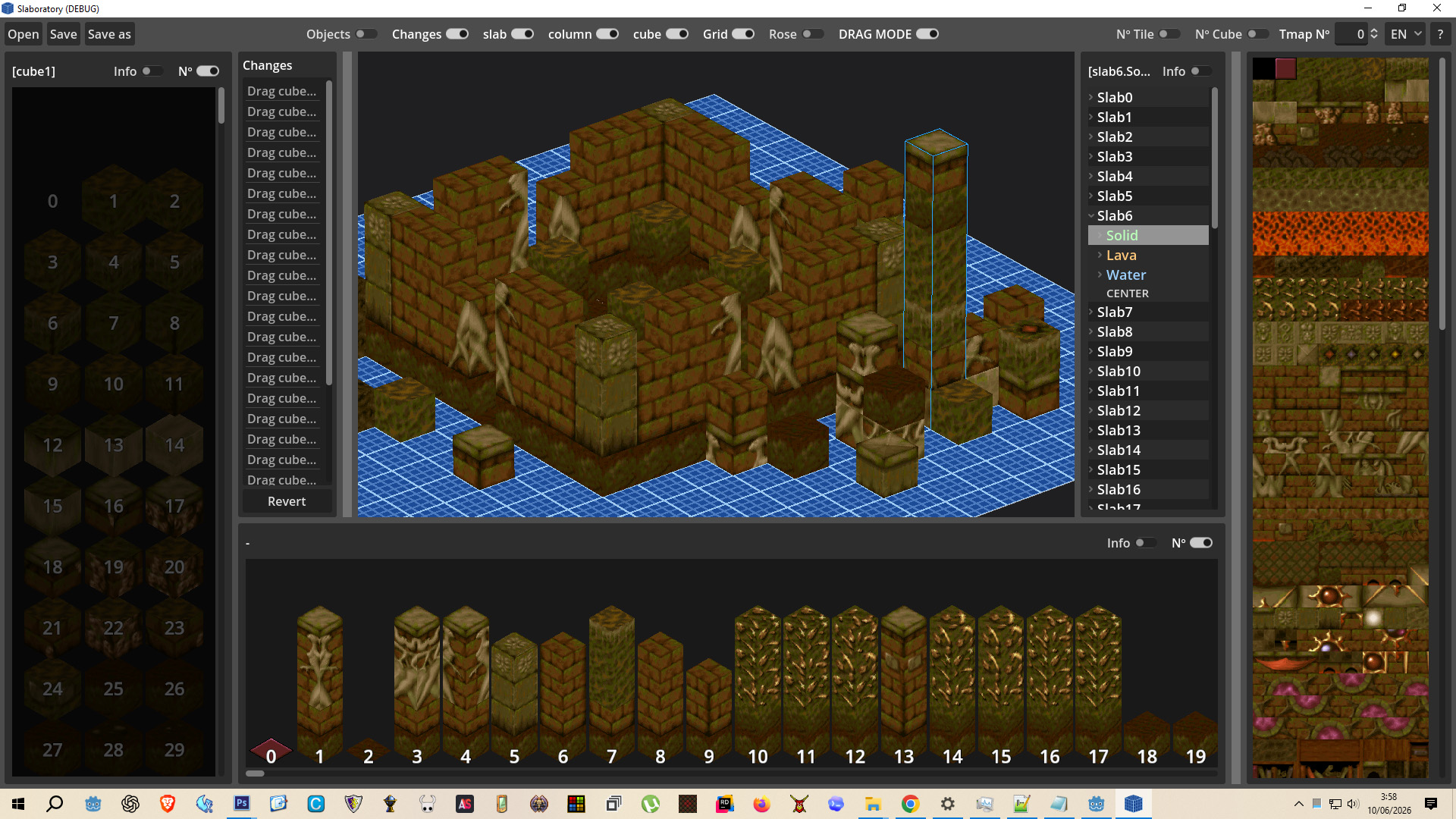
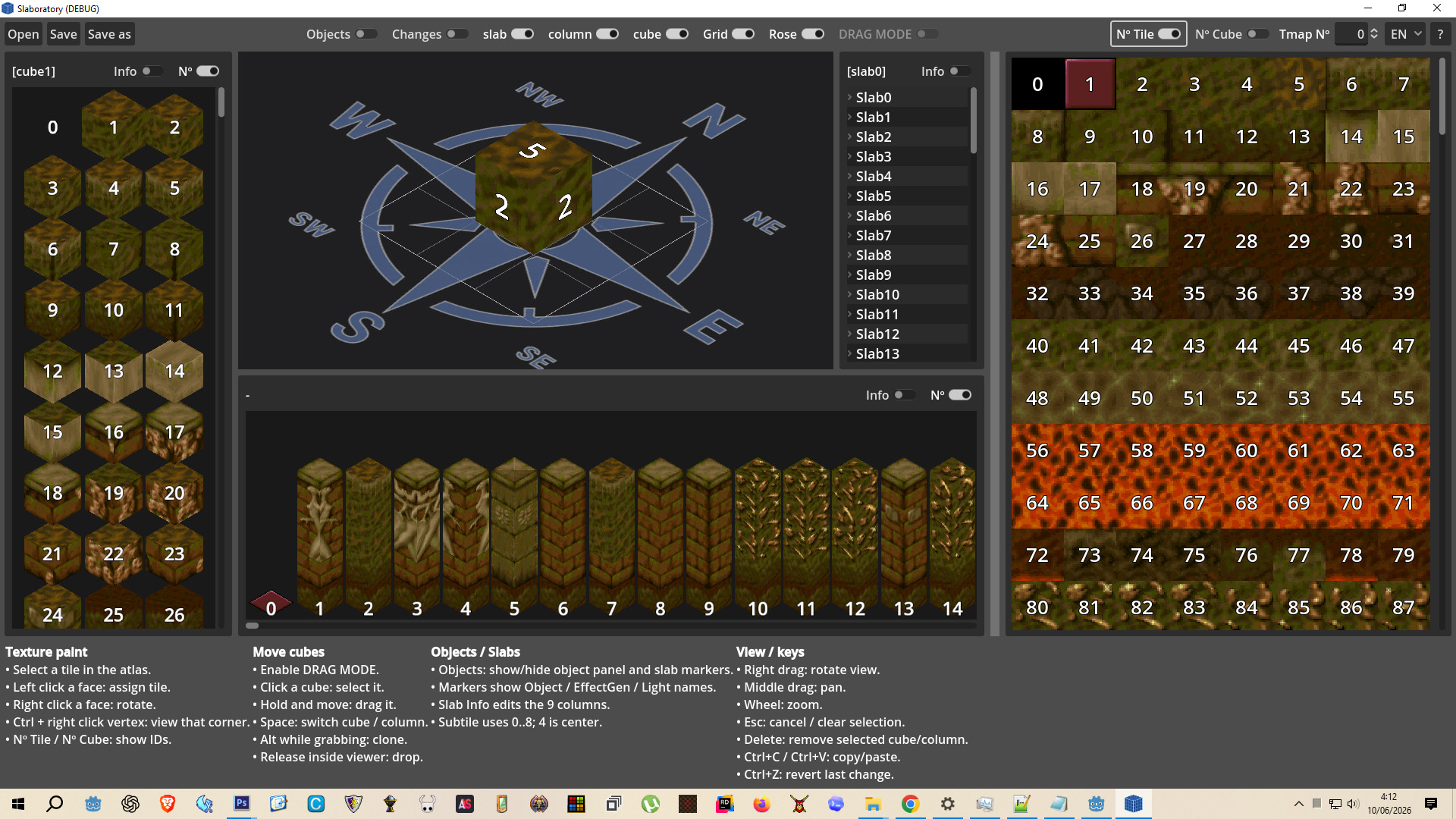

0.2 The main feature of the application has been added: the ability to drag and drop cubes and columns and position them as desired. This is activated by the DRAG MODE button, which is only available when slabs are visible in the viewer. A help menu has been added, accessible by pressing the "?" button, with usage instructions and keyboard shortcuts. The blue area in drag mode stores the cubes or columns you place in its own file, serving as a workspace with memory. The ability to read objects, effect generators, and lights has been added. Currently, this functionality is not editable; it will be the next update in a few days, along with the object creation menu. Currently, moving cubes updates all common columns, but a free mode will be added that, upon completion of construction, will generate all new cubes and columns that do not yet exist, first comparing them to ensure there are no duplicates.
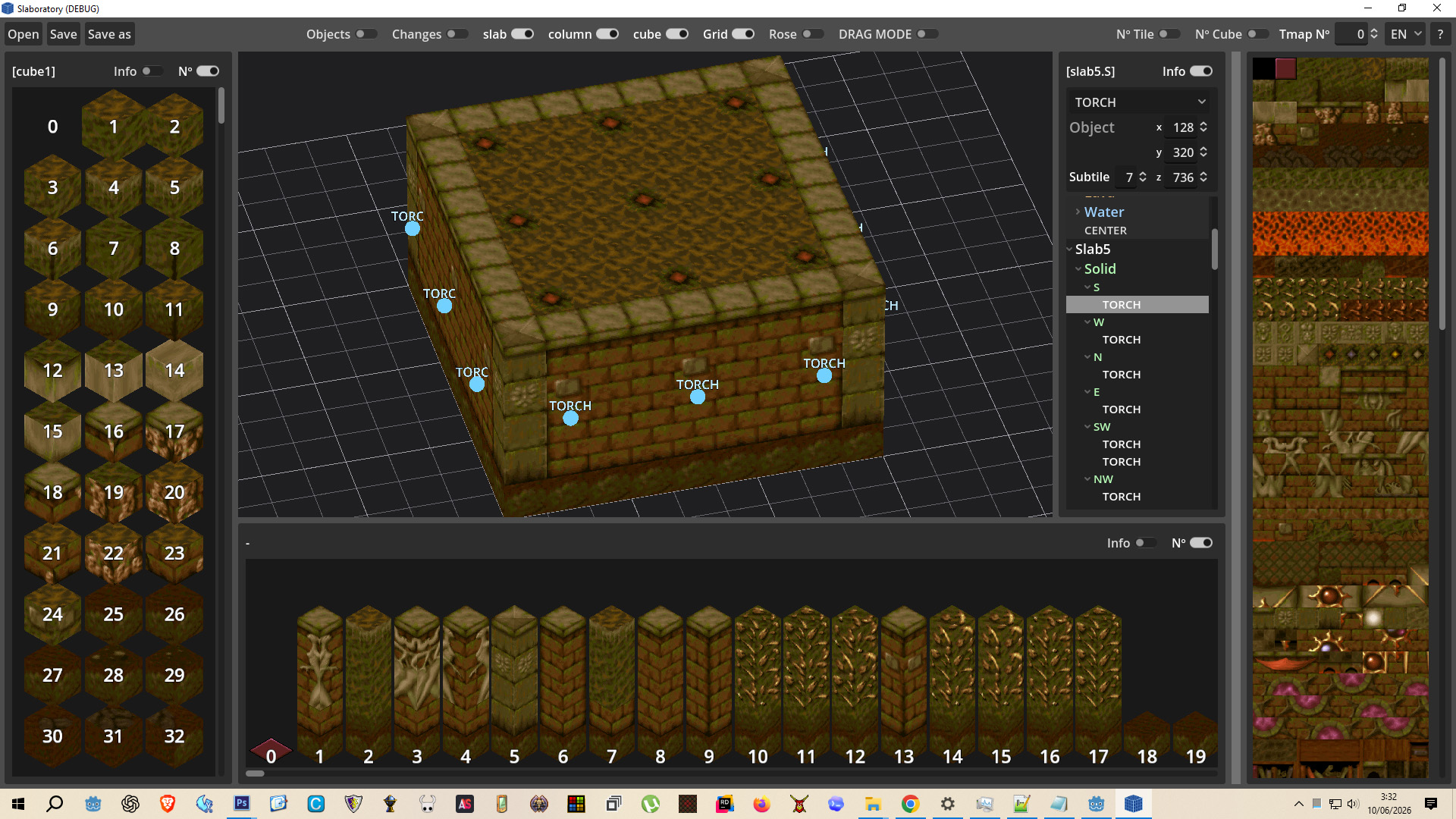
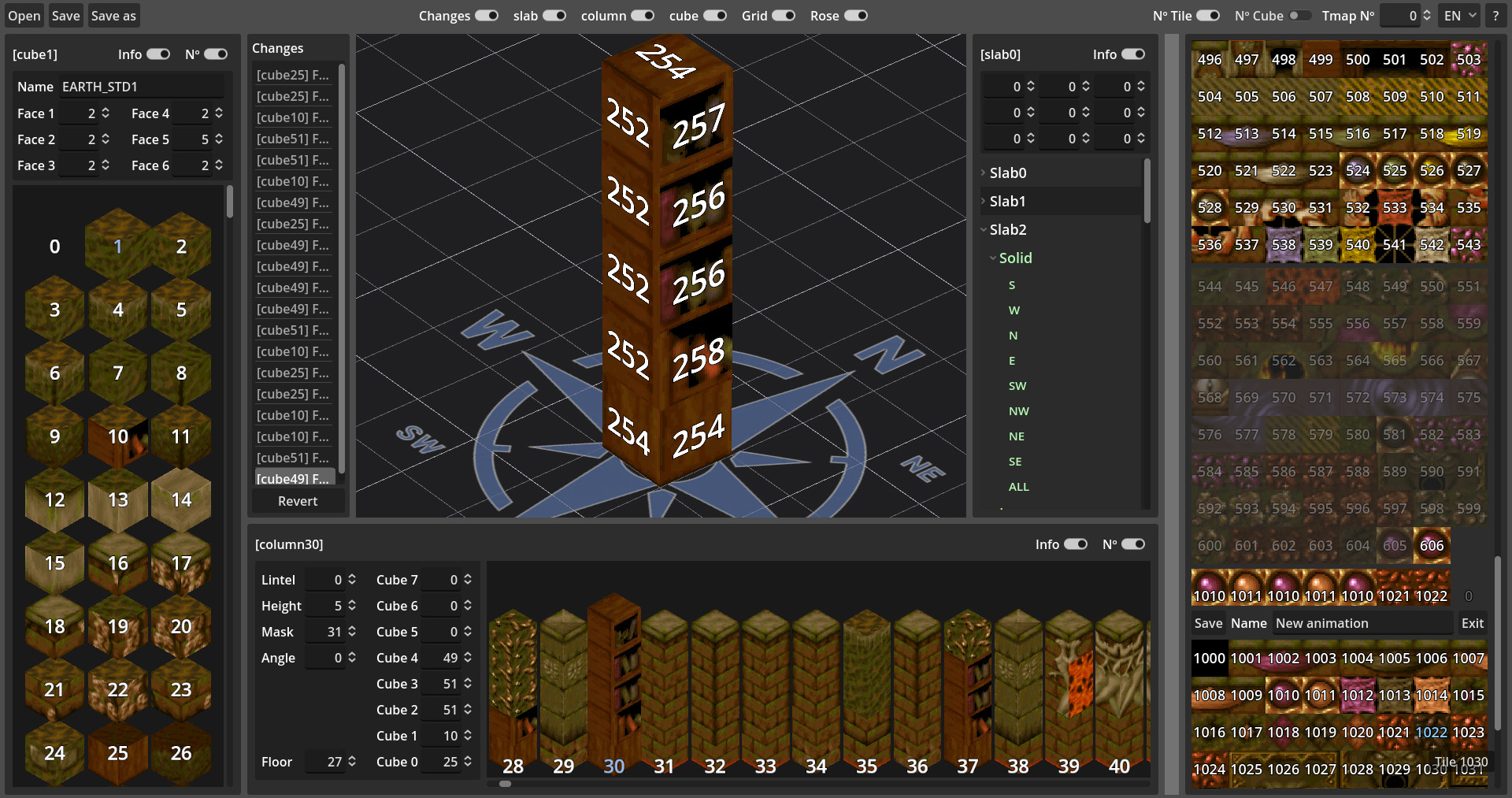
0.1 A first version of an editor focused exclusively on the easy editing of Cubes, Columns, and Slabs. Currently, it modifies the original files, which must be placed in their own data folder. At the moment, you can edit the parameters of cubes and columns; at the time of publishing this, I realized that the slab columns are not yet editable! But this will be added soon. The advantage is that, in addition to slabs, it loads complete IDs, grouped into solid, water, and lava, and you can modify the textures directly from that state. It also includes a simple tile animation editor, located at the end of the animation tiles, accessible by pressing a + button, quite hidden because it will not be used much.
Upcoming changes:
-
Loading and saving custom map files.
-
Checking for duplicates. This will help determine if a duplicate is being created and, if so, discard it and use the one with a lower ID.
-
Compatibility to read and modify the Unearth custom_slabs.cfg file, to easily add edits to the editor.
-
Adding objects and effects to slabs (currently only loading and viewing).
-
Add sprites and animations to objects.

I wonder, is it possible it create slabs other colour than "dirt" and "snow" ones. Like i.e. "sandstone" slabs, to show you're in some "Ancient Egypt-like" level.
The colors are not slabs, but textures. Slabs are say 'Rock, Path, Gold, Water', then the snow texture shows these in white versions. KeeperFX does have a sandstone texture yes.
Nice
Awesome!
Splendid!